Events · Form template
Event vendor registration template
Register stallholders with every logistics detail you need to plan the day.
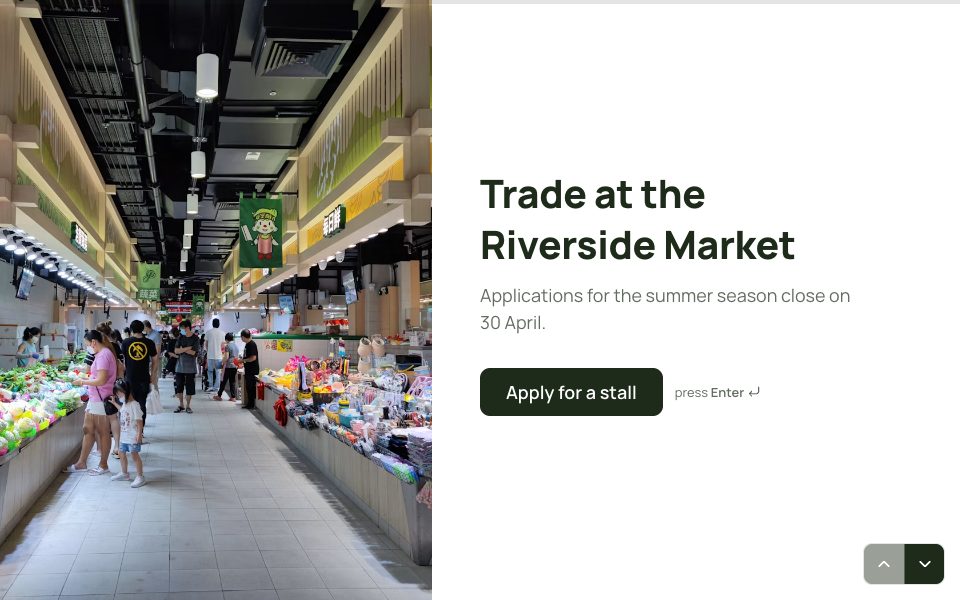
Try it before you use it
This is the real form. Answer it like your respondents would; nothing you type is saved.
1 →
What’s your full name?
What’s in the event vendor registration template
8 questions, one at a time. Edit, reorder or remove any of them.
-
01
What’s your full name?
-
02
Thanks. And your business name?
-
03
What’s the best email to reach you?
-
04
What will you be selling?
-
05
Tell us about your products in a few lines.
-
06
How much space do you need?
-
07
Will you need power?
-
08
Upload a photo of your stall (optional)
When to use the event vendor registration template
Use it to sign up stallholders for a market, fair or festival, with everything you need to plan the day: what they sell, space, power and a stall photo.
Tips for better answers
- Edit ‘What will you be selling?’ to your categories so you can balance the mix of stalls.
- Keep the power question. It’s the detail most often forgotten until the day.
- Ask for a stall photo. It helps you lay out the site and shows you the standard of each stall.
After the responses come in
Send vendors to Google Sheets to plan the layout, and copy the photos to Google Drive automatically.
Built in
Uploads
Collect files up to 100 MB, and copy them to Google Drive if you like.
Your own domain
On Pro, share it at forms.yourbrand.com instead of our address.
Straight to Google Sheets
Every response can land in a spreadsheet within seconds.
Embed anywhere
Put it on your site inline, as a popup or as a side tab.
How to use this template
Step 1
Use the template
Sign up free and the template opens as your own copy.
Step 2
Make it yours
Edit the questions, swap the photo, set your colours and logic.
Step 3
Share it
Send the link, embed it on your site, or put it on your own domain.
FAQ
Event vendor registration template, answered
Is the event vendor registration template free?
Yes. The Event vendor registration template is free on every plan. The Free plan includes 3 active forms and 100 responses a month, with no card needed.
Can I change the questions and design?
Yes. Click any text to edit it, add or remove questions, change the photos, colours and fonts, and add your own logic.
How long does it take to fill in?
About 3 minutes. It has 8 questions, shown one at a time.
Where do the responses go?
To your FormsAI results, with charts for each question. You can also export CSV or JSON, send them to Google Sheets, or on Pro post them to a webhook.
Can I put this form on my own website?
Yes. Embed it inline, as a popup or as a side tab, share a link or QR code, or on Pro, host it on your own domain.
More events templates
See all

Use the event vendor registration template free.
Make it yours in minutes. No card needed.
Use this template