How to make a Secret Santa form your group fills in from one link
Secret Santa is a gift exchange in which everyone in a group buys a present for one other person, who doesn't know who it came from. That's how the Cambridge Dictionary puts it, with a Christmas present in mind.
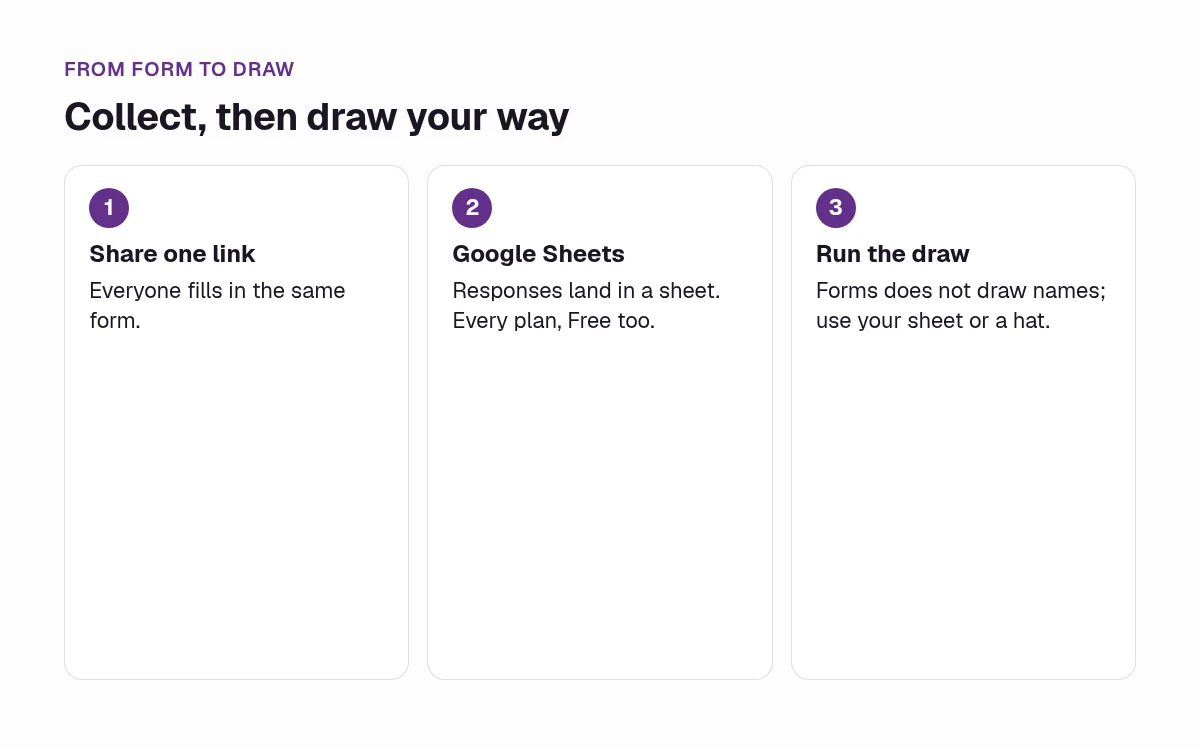
A form handles everything before the draw: who's in, what they'd like, what to avoid and where to send it. Forms does not draw names or assign pairs. You run the draw yourself once everyone has answered. This guide shows the fields, the closest live template and the steps.
What to ask on a Secret Santa form
Seven fields cover an office, family or remote exchange. Each one is a question type from all 25 question types.
| Field | Why it's there | Forms question type |
|---|---|---|
| Name and email | So you know who joined and can reach them | Contact info |
| Are you in? | The draw list is only the people who say yes | Yes/No |
| Wish list | What their Secret Santa could buy | Long text |
| Please don't buy | Allergies, sizes you hate, jokes that aren't funny | Long text |
| Can you keep to the budget? | You write the limit your group agreed into the question | Yes/No |
| Shipping address | Remote groups only, shown with logic when a gift has to be mailed | Address |
| Anything else | Optional hints | Long text, optional |
The budget is your group's call. Write the amount you agreed into the question, and each person confirms it with a yes or no. The Address question checks the format of a full address and brings up the right keyboard on a phone.
Use Long text for the wish list, not Checkbox: in Forms, Checkbox is a consent tick. If people want to add a photo of a wish, a file upload question takes files up to 100 MB. Uploads aren't public, and only you can open them from your results.
Keep each label short and plain. The W3C's forms accessibility tutorial covers clear labels and instructions.
Start from a live template
There is no Secret Santa template in the gallery, so there's no one-click version of this form. All templates are free on every plan. Browse free form templates, or start from the closest one:
- Best start: the wedding RSVP template. 6 questions, about 2 minutes, one at a time. It already asks "Will you be joining us?" as a Yes/No and uses logic so people who can't come finish in one tap. It doesn't collect an email, a wish list or an address, so replace its meal, dietary, guest count and song questions with the fields above.
- Weaker fit: the event registration template opens with a Contact info block for name and email, but the rest of it is about tickets and sponsors.
Build it step by step
- Start from the wedding RSVP template, or from a blank form. Sign-up is free, with no card.
- Set the questions from the table above. Make name and email, the in-or-out question and the wish list required. Make the address required only for a remote exchange.
- On the Yes/No question, add a logic rule so a No ends the form, the same pattern the RSVP template uses.
- Write the reply-by date and the budget you agreed in the form's description, in words.
- Publish the form and share one link. Forms shows one question at a time.
- Connect Google Sheets from the form's Results.
- Draw names yourself, outside the form, and keep the matches off it.
Conditional logic is on every plan, Free included. A rule can combine up to 30 conditions with "and" or "or". Give the form your group's colours with form design and themes.
When the reply-by date passes, close the form yourself. You can reopen it if someone is late. To cap the group, you can also put a response limit on the whole form.
Keep wish lists private
The answers belong to you, the form's owner, and Forms processes them for you. People who open the form link get a blank form, not anyone else's answers.
Every response sits in your Results, where you can filter and export it. Results also has a shared report link, which stays private until you switch it on. Leave it off for this form, so wish lists and addresses stay with you.
The secret in Secret Santa is who buys for whom. Keep it by not publishing the matches. The form itself isn't anonymous: you're collecting names on purpose. If you export the responses or share the sheet, anyone you share them with can read the wish lists.
Send responses to Google Sheets for the draw
On every plan, Free included, you can send responses to Google Sheets from the form's Results. Forms creates a new spreadsheet, copies in the responses you already have and appends each new one within seconds. It only gets Google's drive.file permission, so it can open only the files it created, and it writes plain values, not formulas.
The sheet is where you run the draw: sort the Yes rows, then pair people up outside Forms. Email alerts tell you when someone joins, on every plan. Webhooks are Pro.
Office, family and remote variations
In the room
Skip the address. Ask for name and email, the in-or-out question, the wish list, the "please don't buy" note and the budget check. Draw names after the form closes. Planning the party around it? See forms for event planners, or how to make a sign-up sheet for who's bringing what.
Family
Use the same fields. A good "please don't buy" note matters more than a long wish list.
Remote
Show the Address question with logic, only to people whose gift has to be mailed. For delivery before Christmas Day 2026 within the contiguous United States, USPS lists these mail-by dates: Ground Advantage and First-Class Mail on Thursday, Dec 17; Priority Mail on Friday, Dec 18; and Priority Mail Express on Saturday, Dec 19. USPS notes that the actual delivery date may vary.
For Alaska, Hawaii, US territories, military addresses and international mail, check the USPS holiday shipping dates. For a Hanukkah exchange, ship sooner: USPS lists Hanukkah 2026 as Dec 4 to Dec 12.
Free covers a small group. A bigger one needs Pro.
Free gives you 3 active forms and 100 responses a month, and each person who answers is one response. After 100, the form stops taking new responses until next month. Nothing is deleted.
Most friend groups fit in 100. If more than 100 people will answer in a month, Pro is $12/mo billed yearly, with unlimited responses under the fair use policy and 1 custom domain with HTTPS, such as forms.yourbrand.com. See Forms pricing, or read Forms vs Google Forms.
Secret Santa forms, answered
What questions should a Secret Santa form ask?
Ask for a name and email, a yes or no on whether they are in, a wish list, a "please don't buy" note, and a yes or no on the budget your group agreed. For a remote exchange, add a shipping address and show it only when a gift has to be mailed. Forms has a question type for each of those: Contact info, Yes/No, Long text and Address.
Can Forms draw names automatically?
No. Forms collects the answers and can send them to Google Sheets. It does not draw names or assign pairs. You run that draw yourself, after the form closes, and you keep the matches private.
Is a Secret Santa form free?
Yes. There is no Secret Santa template in the gallery, but you can build this form on the Free plan, which includes 3 active forms and 100 responses a month, with no card needed. All templates are free on every plan, including the wedding RSVP template you can start from. Pro, at $12/mo billed yearly, adds unlimited responses under the fair use policy and one custom domain.
Can I get the responses in Google Sheets?
Yes, on every plan, Free included. Connect Google Sheets from the form's Results. Forms creates a new spreadsheet, copies in the responses you already have, and appends each new one within seconds. Forms can only open the files it creates.
How do I collect shipping addresses for a remote Secret Santa?
Add the Address question. It checks the format and brings up the right keyboard on a phone. Use conditional logic to show it only when the gift will be mailed. Addresses land in your Results with the rest of the response. Leave the shared report off, so the list stays with you.
Can people edit their wish list after submitting?
The public Forms pages do not describe a way for someone to reopen a response and edit it. Do not send an "edit your wish list" link. If an answer needs a change, ask them to tell you and correct the cell in the Google Sheet Forms created. The docs do not say that a sheet edit is copied back into Forms.
Start from the RSVP template See Free vs Pro
New here? Start at Forms.