How to make a sign-up sheet people can fill in from one link
A paper sign-up sheet works until two people write their names in the same slot. An online form fixes that: people sign up from one link, and you get a clean list.
Forms doesn't have a dedicated sign-up sheet template. You don't need one. This guide shows the format, the closest live template to start from, and how to cap each time slot.
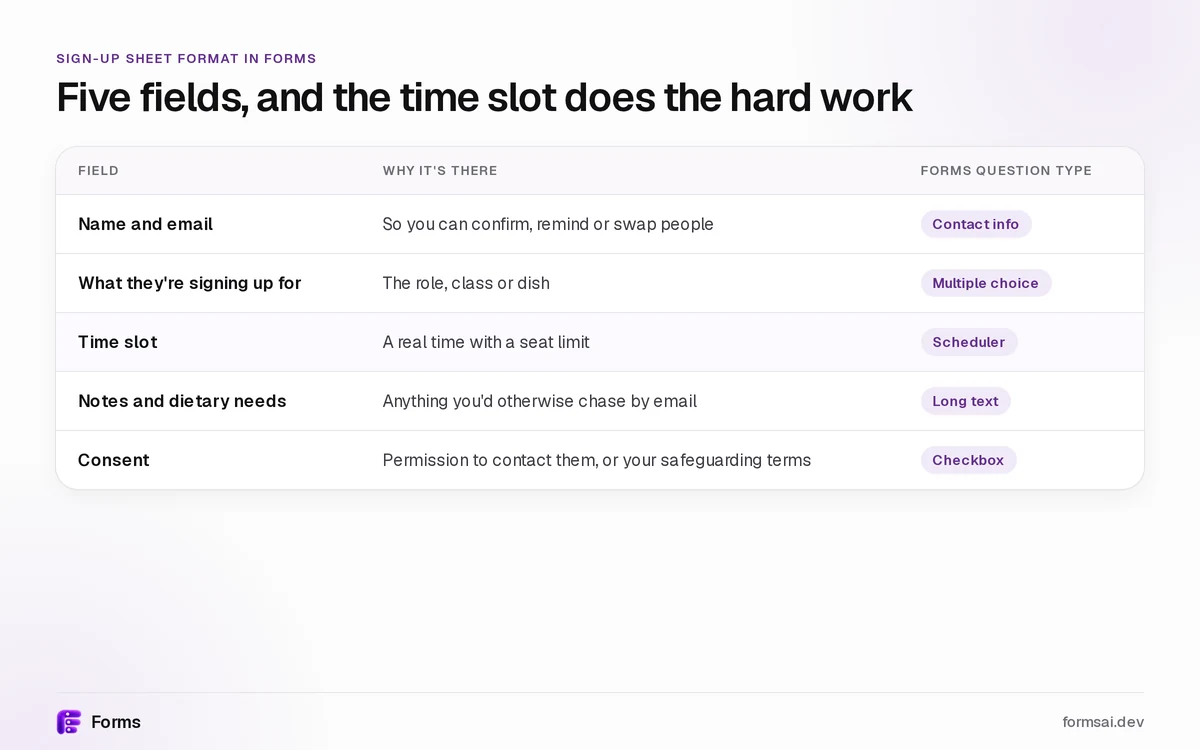
A sign-up sheet needs five fields, and the time slot does the hard work
Every sign-up sheet answers who, what, when and how many. Here is that format as a form, using all 25 question types.
| Field | Why it's there | Forms question type |
|---|---|---|
| Name and email | So you can confirm, remind or swap people | Contact info |
| What they're signing up for | The role, class or dish | Multiple choice |
| Time slot | A real time with a seat limit | Scheduler |
| Notes and dietary needs | Anything you'd otherwise chase by email | Long text |
| Consent | Permission to contact them, or your safeguarding terms | Checkbox |
Keep labels short and plain. The W3C's forms accessibility tutorial covers clear labels and instructions.
Start from a live template, not a blank page
All templates are free on every plan. Browse all free form templates, or start with one of these:
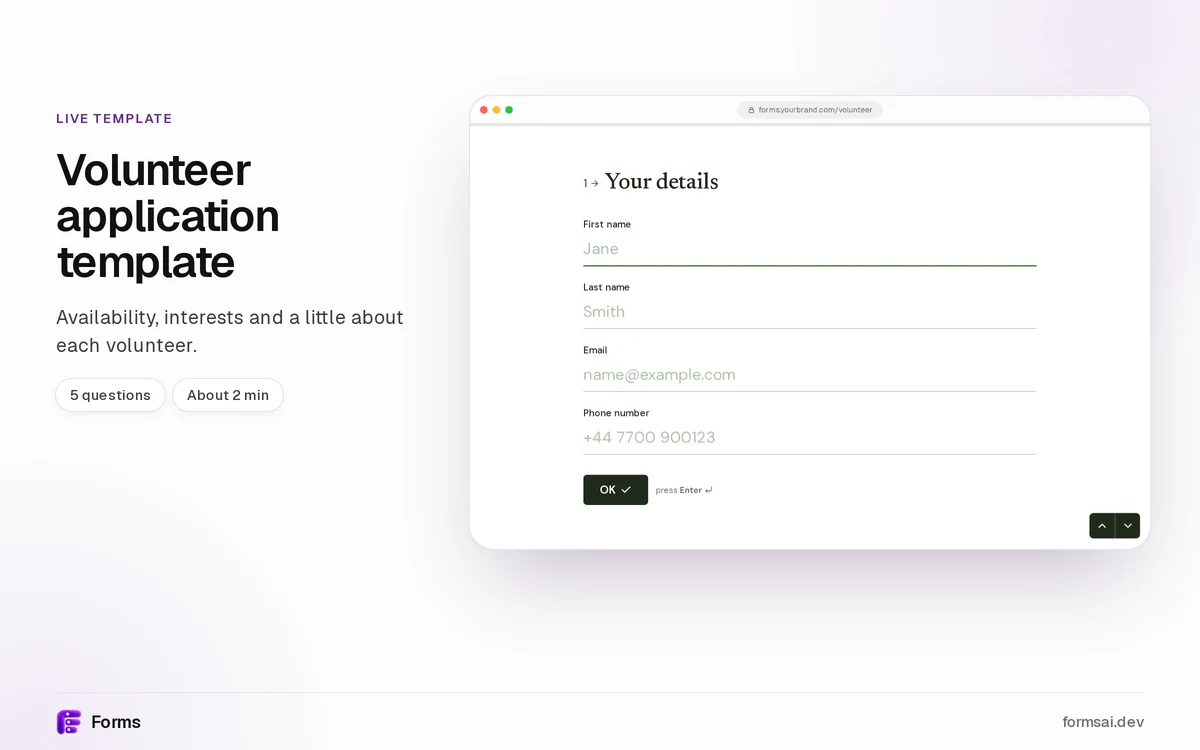
- Shifts and helpers: the volunteer application template. "Availability, interests and a little about each volunteer." 5 questions, about 2 minutes.
- Classes and sessions: the class and workshop sign-up template. "Let people pick a class and a session, and tell you their level." 5 questions, about 2 minutes.
- Tickets and catering: the event registration form, with ticket type and dietary needs.
- A yes/no headcount: the wedding RSVP template.
Time slots that can't be double-booked
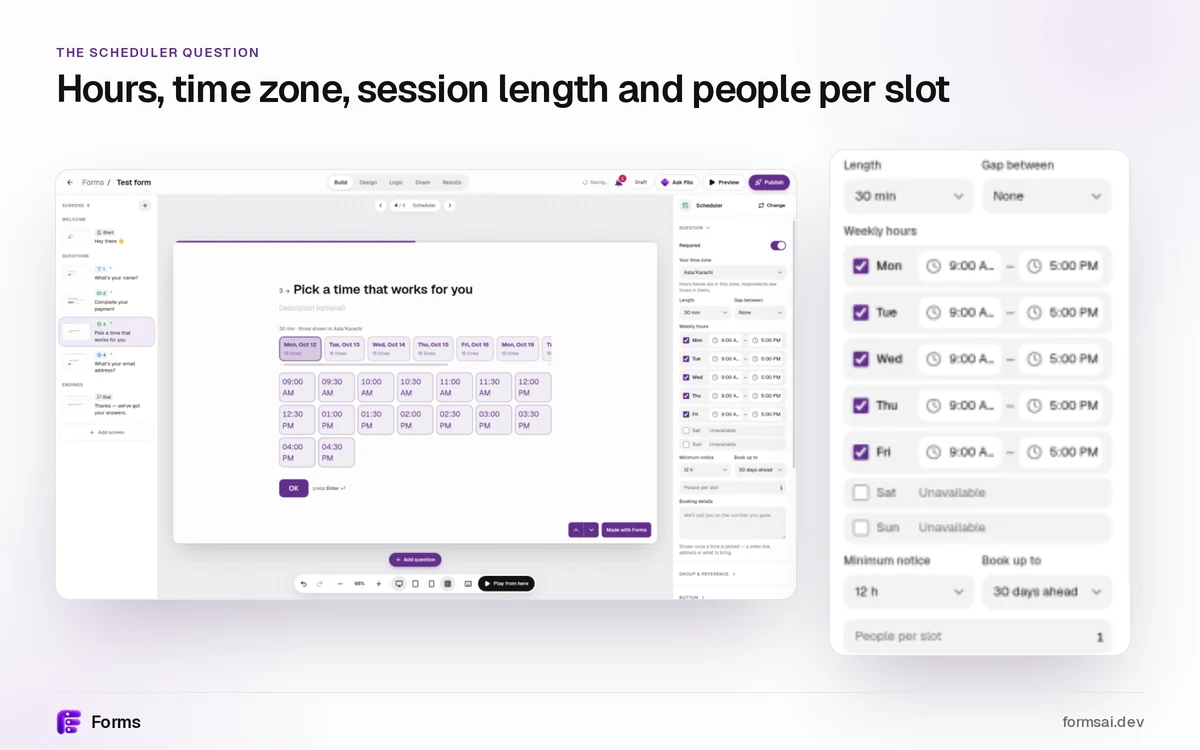
The Scheduler question turns a list of times into slots with real limits. You set your hours, time zone, session length and the buffer between sessions. People see times in their own time zone.
A slot is held while someone finishes the form and confirmed when they submit, so it can't be booked twice. Capacity runs from 1 to 500 people a slot, and a slot stays bookable until it's full. Set up time slots with seat limits on any plan, Free included.
Four sign-up sheets you can build this week
Volunteer shifts
Open the volunteer template. It asks "When are you free?" as multiple choice, so swap that question for a Scheduler: 2-hour sessions, capacity 6 a shift. Keep "Where would you like to help?" and the safeguarding checkbox. More ideas are on forms for nonprofits.
Class or workshop sessions
Use the workshop sign-up template: class, session, experience level, name and email. Its own tip for limits: "use a separate form per session, or close the form when the last place goes." Or replace the session question with a Scheduler and give each slot 12 seats. To charge a fee, take a deposit with Stripe in the same form. Forms adds no fee.
Potluck or Thanksgiving: who's bringing what
Ask for a name, a multiple choice for the dish category (main, side, dessert, drinks), and long text for the dish. Don't count on the form to balance the table. Check the list in Results or Google Sheets, and ask for a swap if six people bring pie.
Parent-teacher or office-hours slots
Add a Scheduler with 10-minute sessions, a 5-minute buffer and capacity 1, so each slot belongs to one family or student. See forms for schools and classes.
See who signed up without copying a single row
Every sign-up lands in Results. On any plan, Free included, you can send sign-ups to Google Sheets: Forms creates the sheet and appends each new response within seconds. Email alerts tell you when someone signs up, and you can export CSV or JSON. Webhooks are Pro.
Free covers 100 sign-ups a month. More than that needs Pro.
Free gives you 3 active forms and 100 responses a month, and each sign-up is one response. After 100, the form stops taking new responses until next month. Nothing is deleted.
So if more than 100 people will sign up in a month, you need Pro. Pro is $12/mo billed yearly, with unlimited responses (fair use), the AI form builder (describe your sign-up and let AI build it), 1 custom domain such as forms.yourbrand.com, and webhooks. Compare Free vs Pro pricing.
A form, a shared spreadsheet or Google Forms?
A shared spreadsheet is quick, but everyone edits the same grid. Google Forms is free with unlimited forms and responses, and Google's own guide to using Google Forms covers the setup.
Forms adds a Scheduler question with slots that can't be double-booked, one link on your own brand, and on Pro, your own domain. It still sends every sign-up to Google Sheets. Read Forms vs Google Forms for the full side-by-side.
Sign-up sheets, answered
How do I make an online sign-up sheet?
Start from the free volunteer or workshop sign-up template in Forms. Edit the questions to match your roles or sessions, add a Scheduler question with a capacity for each slot, then publish and share one link. Sign-ups arrive in Results, and you can send them to Google Sheets.
What should a sign-up sheet include?
A sign-up sheet needs who, what, when and a limit. In practice: name and email, what the person is signing up for, a time slot with a seat limit, a notes field for dietary needs or questions, and a consent checkbox.
Can I limit how many people sign up for each time slot?
Yes. The Scheduler question takes a capacity from 1 to 500 people a slot. A slot is held while someone finishes the form and confirmed when they submit, so it can't be booked twice. The slot stays bookable until it's full. The Scheduler is on every plan, Free included.
Is there a free sign-up sheet template?
Forms doesn't have a dedicated sign-up sheet template, but you can start from the free volunteer or workshop sign-up template and adapt it in minutes. All templates are free on every plan, and the Free plan includes 3 active forms and 100 responses a month, with no card needed.
Can sign-ups go to Google Sheets automatically?
Yes, on any plan, Free included. Connect Google Sheets from a form's Results. Forms creates a new spreadsheet, copies in the sign-ups you already have, and appends each new one as a row within seconds. Forms can only open the files it creates, so the rest of your Drive stays private.
How many sign-ups can I collect for free?
The Free plan takes 100 responses a month across 3 active forms. After 100, a form stops taking new responses until the next month, and nothing is deleted. Pro, at $12/mo billed yearly, gives you unlimited responses under the fair use policy, plus a custom domain and webhooks.
Start from the volunteer template See Free vs Pro
New to Forms? Start at the form builder home.